Instagram integration
What you can do
Five features that use the information you already have in Ollynk: your classes, coaches, open spots, packages, prices and coupons.
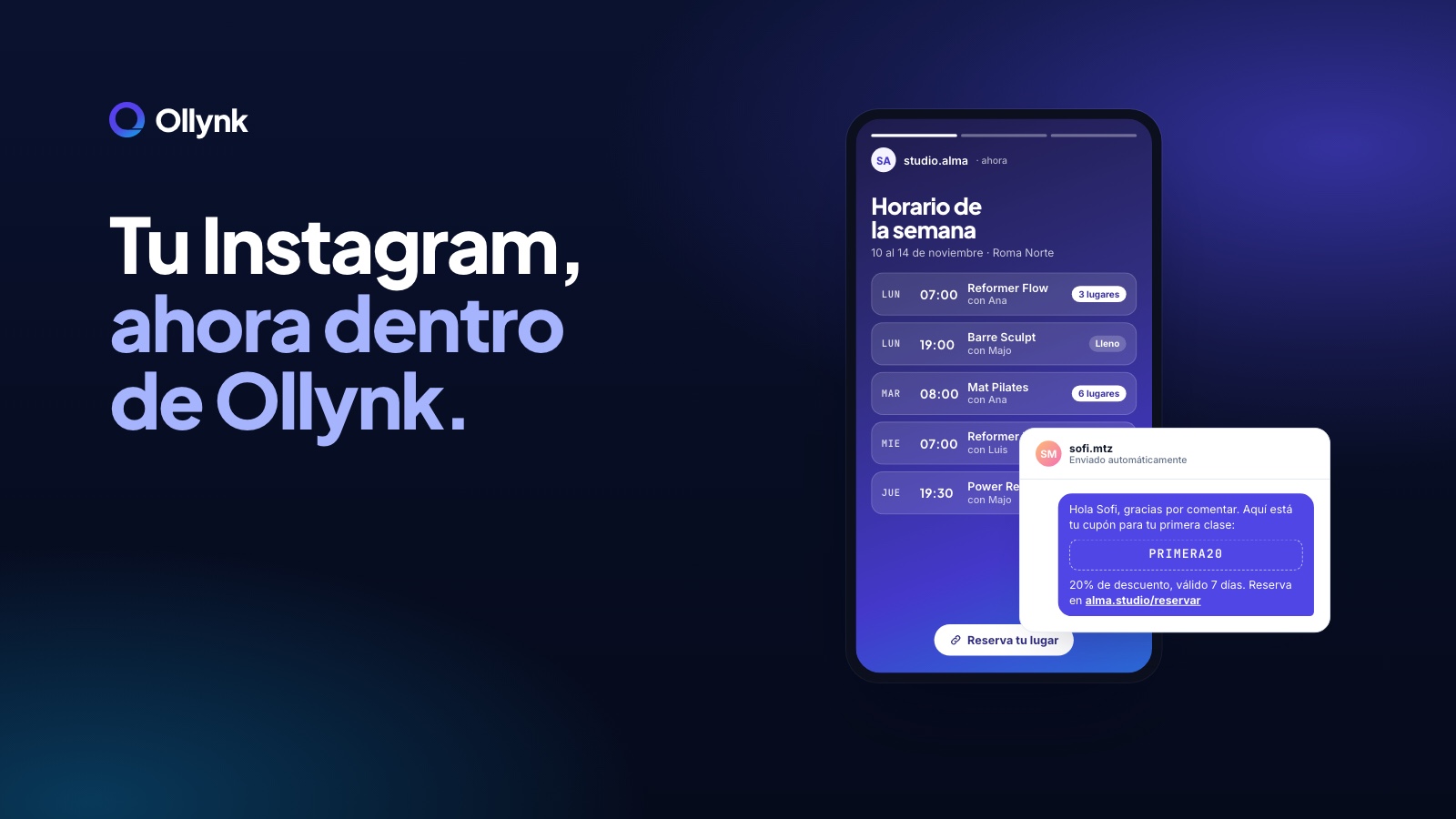
The weekly schedule, without designing it
The schedule story is the post a studio repeats most and the one that takes the longest: copy classes into a template, export, upload, and redo it when something changes. Ollynk builds it from what's already in your calendar, with the coaches and spots left, and you just review and publish it.
Every message answered, even while you teach
Answering a DM late means losing the booking. Ollynk's AI replies with your studio's data: if you change a price or a time in Ollynk, the answer changes too. You can see every conversation from the admin.
How to get started
It connects in three steps. Your Instagram needs to be a professional account (business or creator) linked to your studio's Facebook page; if it's still personal, you can switch for free in the Instagram app in a minute. Then, in the Instagram app, allow access to messages (Settings → Messages). Finally, in Ollynk go to Settings → Integrations → Instagram and Messenger, sign in with Facebook and pick your page and account.
Frequently asked questions
Do I have to design the schedule story?
No. Ollynk builds it from your classes and open spots. You review and publish it.
What information does the AI use to reply?
What you already have in Ollynk: schedules, packages, prices and studio details. If you change a price in Ollynk, the answer changes too.
Can I send coupons I already created?
Yes. Comment automations can send your Ollynk coupons, information or the booking link.
What kind of Instagram account do I need?
A professional account (business or creator) linked to your studio's Facebook page. You can switch in the Instagram app without losing anything.
From comment to booking
A post with dozens of comments asking for info is an opportunity nobody has time to answer one by one. With comment automations you set a keyword and what gets sent by direct message: an Ollynk coupon, information or the booking link. Every comment becomes a conversation, and every conversation can end in a booking.